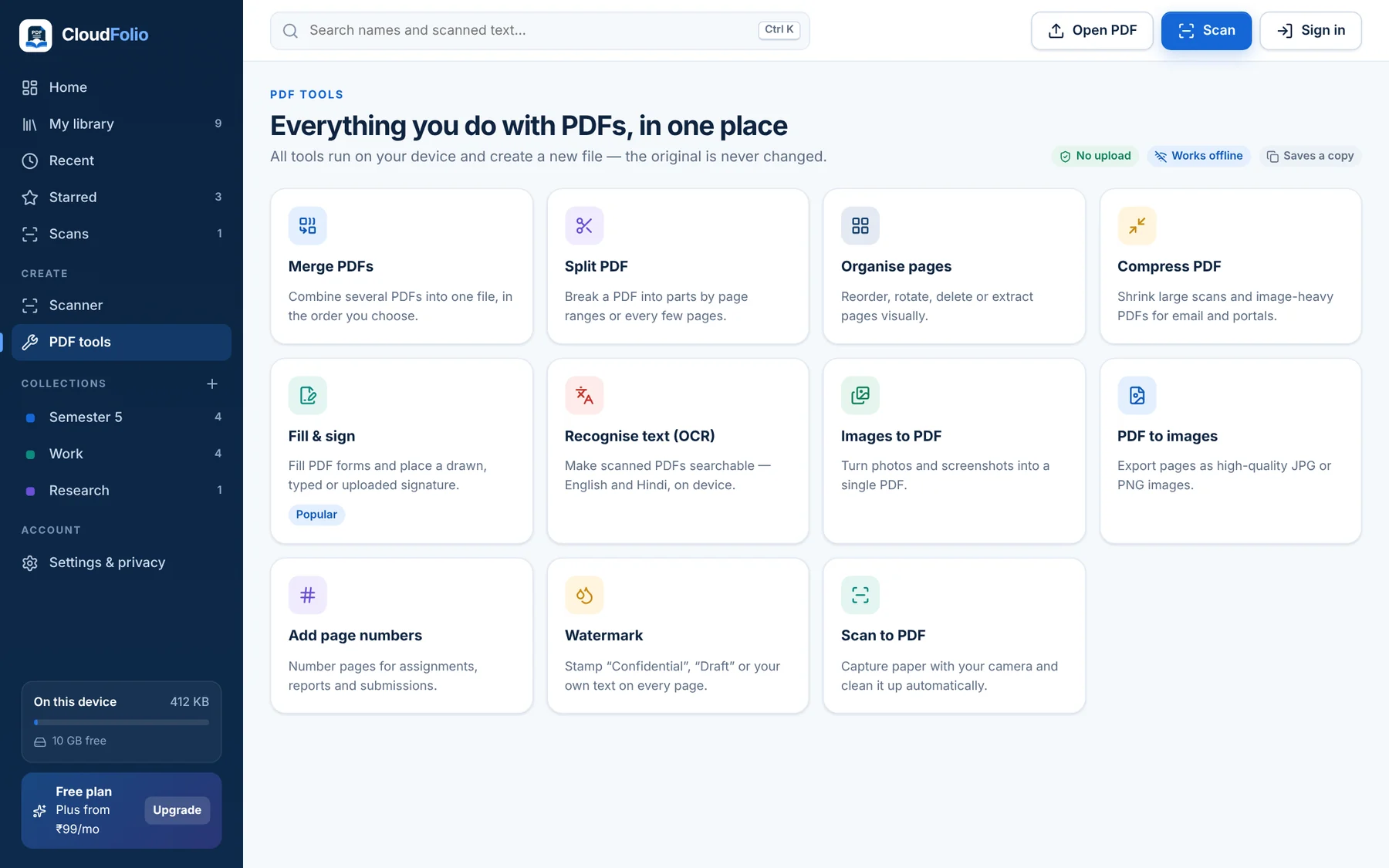
Every PDF Tool You Reach For
Scan, convert, organise, sign, edit and study — CloudFolio’s tools run on your device and always save a new copy, so your original stays untouched.
Merge, Split and Arrange Pages
Ready for Every Portal and Inbox
Compress PDF
Three quality levels with before-and-after size.
Open Tool →
Images to PDF
Turn photos and screenshots into one PDF.
Open Tool →
PDF to Images
Export pages as JPG or PNG.
Open Tool →
Page Numbers
Number pages for assignments, reports and drafts.
Open Tool →
Watermark
Stamp “Confidential”, “Draft” or your own text.
Open Tool →
Change What’s on the Page
Fill & Sign
Complete forms with saved signatures, dates and text.
Open Tool →
Edit PDF (Plus)
Change existing text, images and links.
Open Tool →
Redact (Plus)
Marked areas are deleted from the saved copy, not just covered.
Open Tool →
Remove Hidden Info
Strip author, metadata, attachments and scripts.
Open Tool →
From Paper to Finished PDF, in Four Steps
Open or Scan
Open any PDF instantly, or scan paper with your camera.
Read & Mark Up
Highlight, note and bookmark as you go.
Edit, Sign or Ask
Fill and sign, edit text, or ask the AI about a page.
Save a New Copy
Your original stays untouched. Share when ready.
See the Tools in Action
Real screens from the app — on phone and computer.
Every Tool You Reach For
Merge, split, compress, fill & sign, convert, number and watermark — always saved as a new copy.
One Workspace for Every Kind of Reader
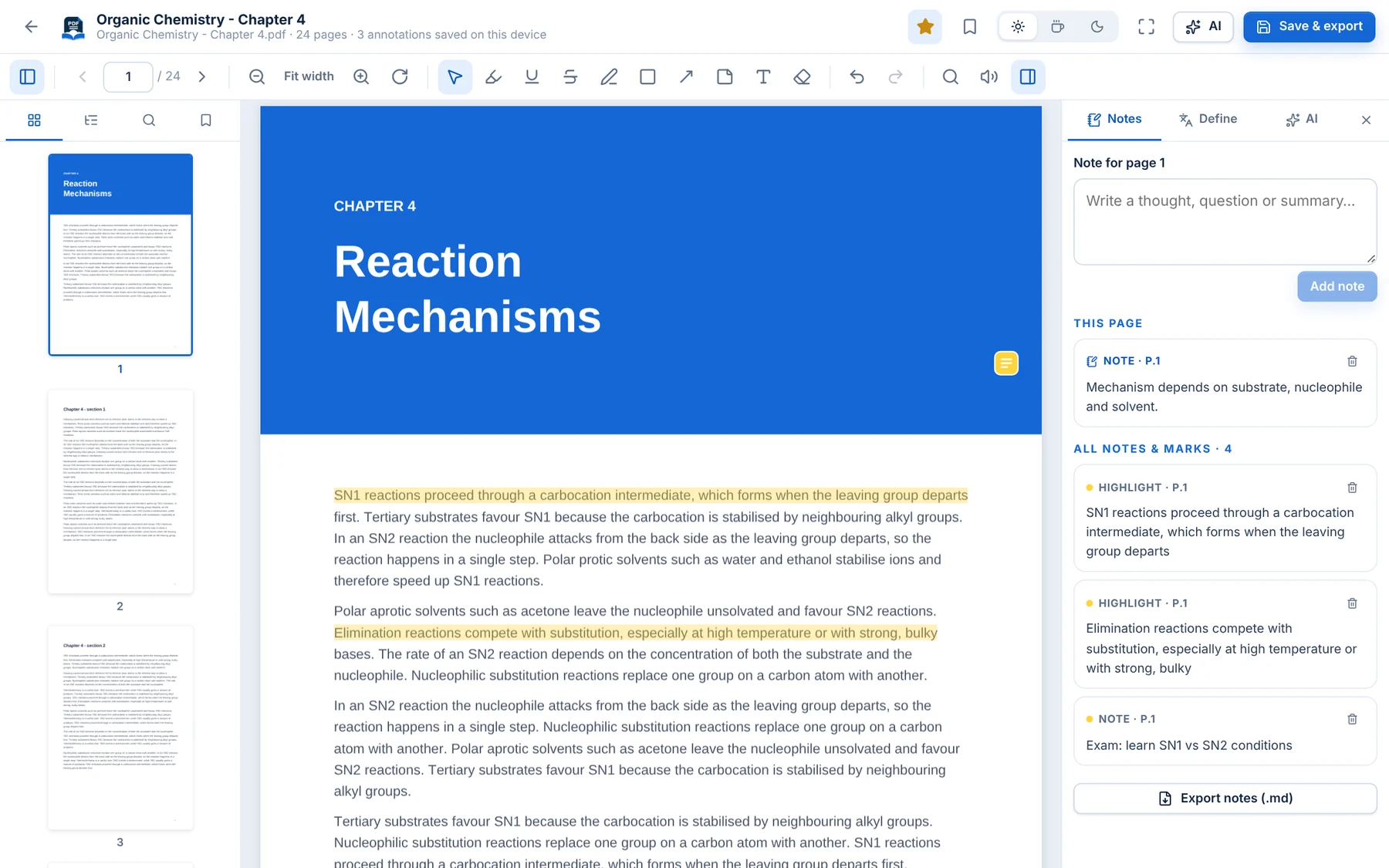 StudentsHighlight textbooks, scan notes and revise with flashcards.Learn More →
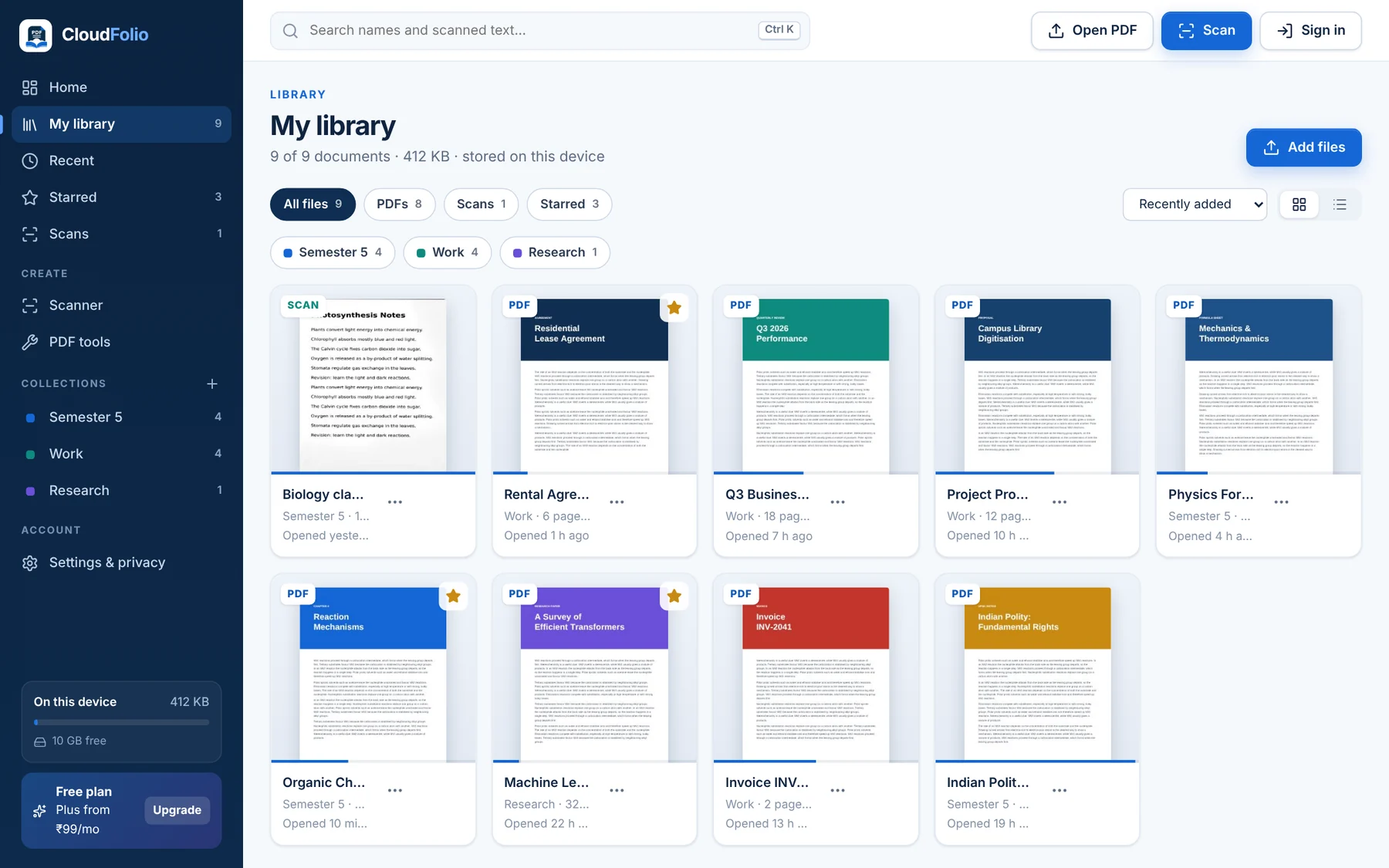 Teachers & ResearchersOrganise sources and export notes with page references.Learn More →ProfessionalsSign, fill and file documents without uploading them.Learn More →
 Business & TeamsOne toolkit with central billing and team admin.Learn More →
Unlimited Tools for ₹99/Month
The free plan includes 5 tool runs a day. Plus removes the limit and adds editing and redaction.
See Plans