Everything You Need to Get Started
Guides, help and policies for CloudFolio — in one place.
Get Started in Minutes
Start in Your Browser
Open CloudFolio in your browser, choose a PDF or scan a page, and start reading.
Open CloudFolio →
Install the App
Add CloudFolio to your home screen or desktop from Chrome, Edge or Safari.
Install guide →
Explore the Tools
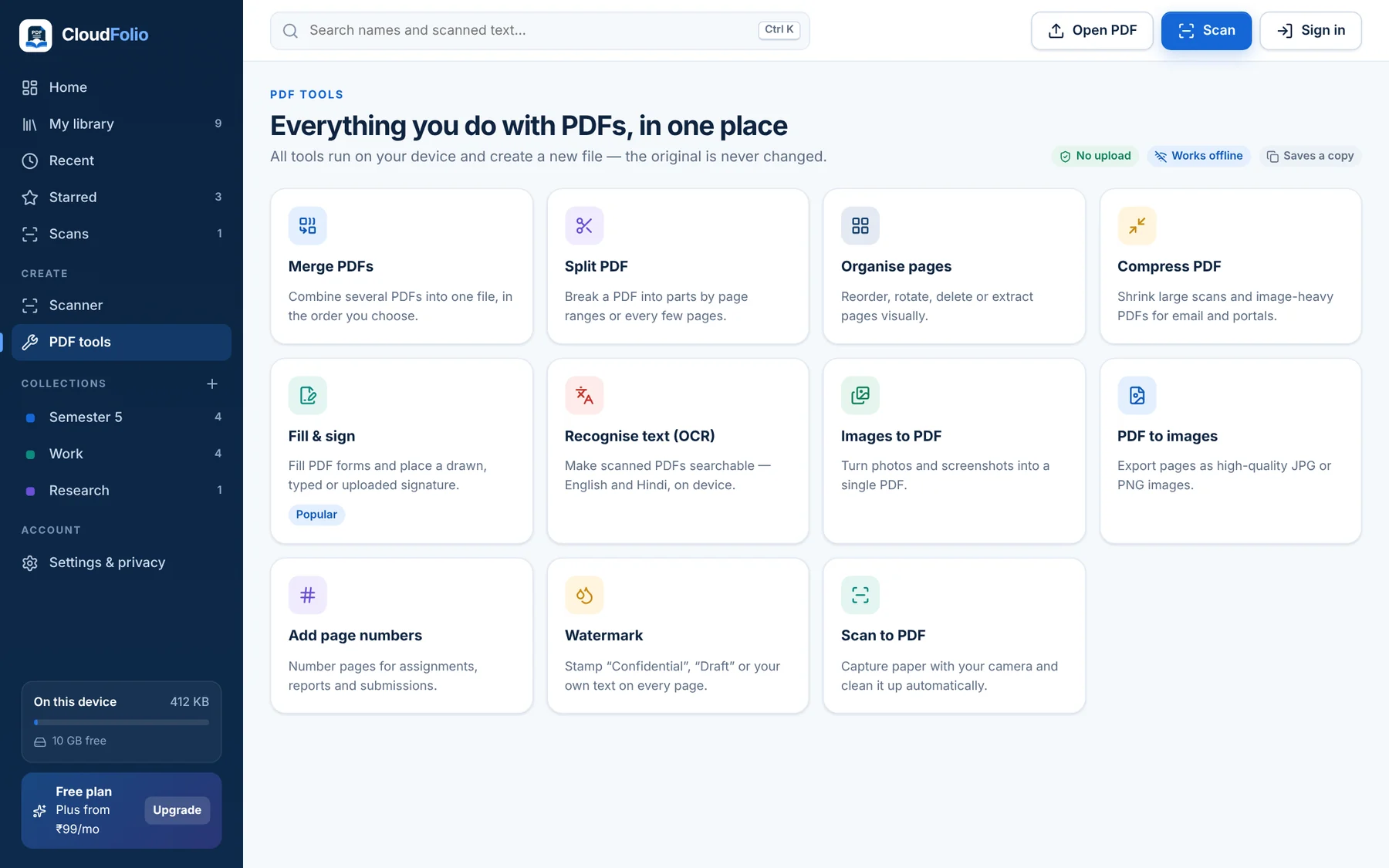
Merge, split, compress, sign, OCR, convert and more — all on your device.
All tools →
Help & Policies
Frequently Asked Questions
Free plan, storage, offline use, devices, payments and cancellation.
Plans & Billing
Compare Free, Plus, Pro and Business and how UPI payment works.
Solutions
Guides for students, teachers & researchers, professionals and teams.
Privacy Policy
What stays on your device and what we collect to run your account.
Terms of Service
The rules for using CloudFolio.
Refund Policy
7-day refund on your first purchase.
From Paper to Finished PDF, in Four Steps
Open or Scan
Open any PDF instantly, or scan paper with your camera.
Read & Mark Up
Highlight, note and bookmark as you go.
Edit, Sign or Ask
Fill and sign, edit text, or ask the AI about a page.
Save a New Copy
Your original stays untouched. Share when ready.
See CloudFolio in Action
Real screens from the app — on phone and computer.
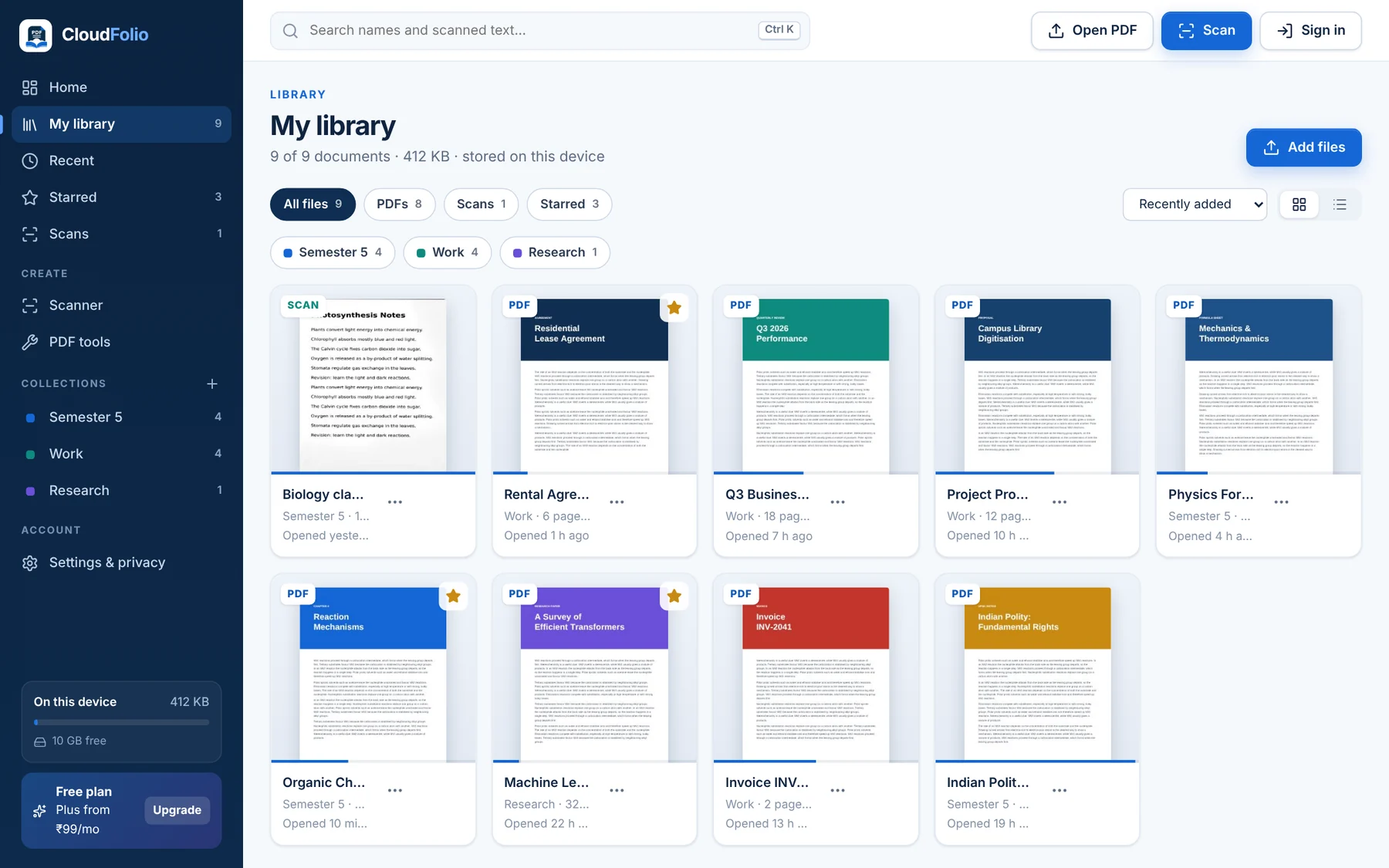
Your Library, On Your Device
Every PDF, scan and note in one place — organised in collections, starred and searchable, without uploading anything.
One Workspace for Every Kind of Reader
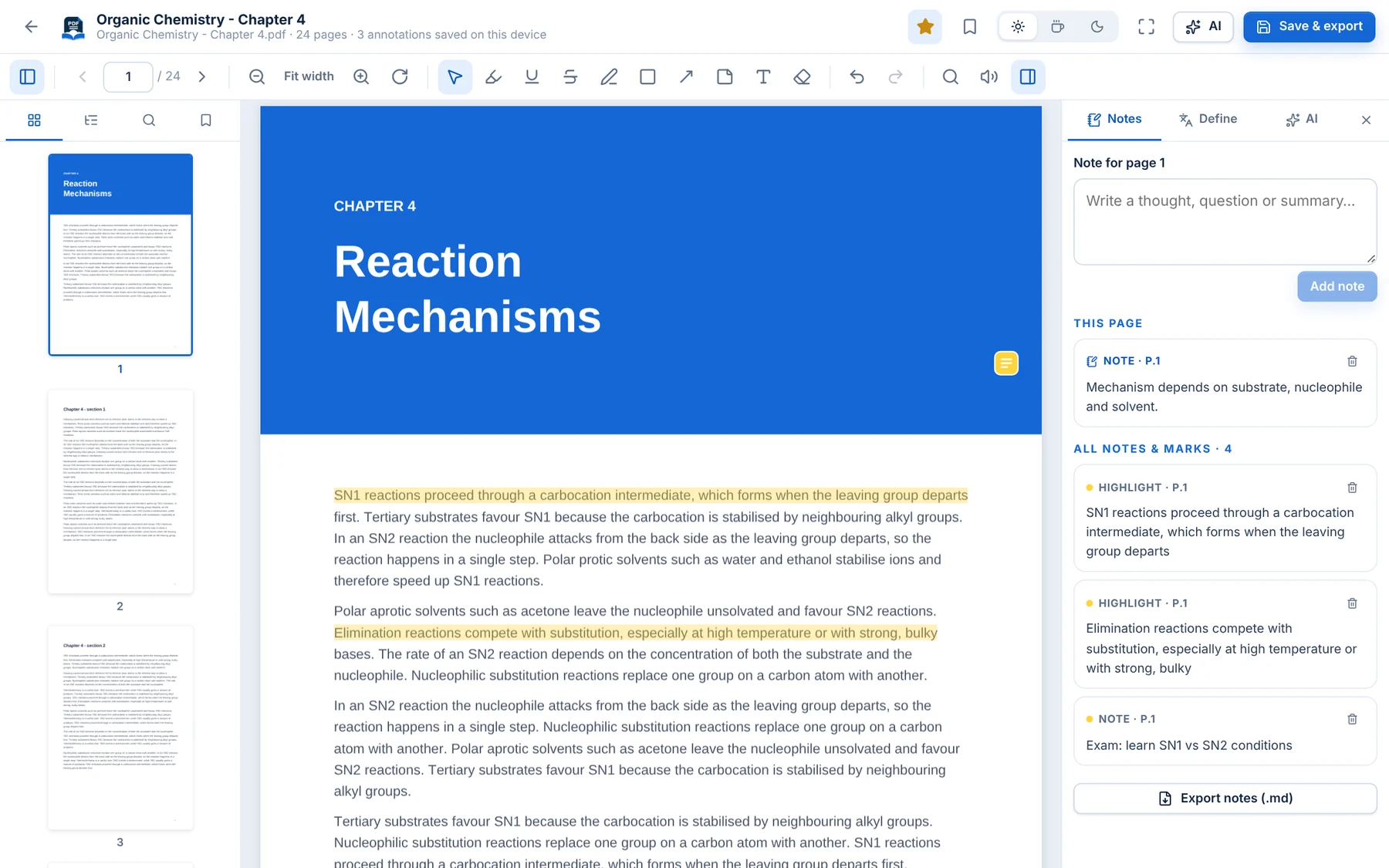 StudentsHighlight textbooks, scan notes and revise with flashcards.Learn More →Teachers & ResearchersOrganise sources and export notes with page references.Learn More →
 ProfessionalsSign, fill and file documents without uploading them.Learn More →
 Business & TeamsOne toolkit with central billing and team admin.Learn More →